
Sofware Development
EdTech
Want a big product change live in January? The decision is due this month.
October 19, 2026
by
Neocoast

Picture the second week of January.
Students are back. Teachers are rebuilding their routines after two weeks away. Some schools are starting their mid-year tests.
And the update that went out on December 30 just scrambled the class lists of every teacher whose schedule changed over the break.
Nobody did anything wrong in December.
The problem started in October, when nobody decided what winter break was for.
For EdTech products used in schools, winter break can be a good opportunity to ship major changes. But fewer students in classrooms doesn't automatically make a release low-risk.
How long that stretch lasts depends less on the school calendar and more on how people actually use your product.
So here's the rule of thumb. Scope it in October. Aim to have it built by Thanksgiving. Use December to validate, not to rush unfinished work into production.
Why can winter break be a good time to ship EdTech changes?
Because classroom activity often drops when schools close. Fewer students and teachers actively using a platform can mean fewer disruptions if something goes wrong.
But lower usage doesn't mean every system is quiet. Assessments, grading, rostering updates and school integrations can still be running in the background. And not every school closes at the same time.
Take the 2026-27 school year. NYC Public Schools' winter recess runs from December 24 to January 1. Los Angeles Unified runs from December 21 to January 8.
If your product serves multiple districts, you're not planning around one winter break. You're planning around several.
Universities have their own restrictions, too. UW-Madison applies additional controls to system changes during fall finals and the first two weeks of spring semester. Arizona State has scheduled technology change freezes around the beginning and end of each semester. Both allow certain approved exceptions.
There's a reason for those restrictions: changes made during critical academic periods can disrupt thousands of users.
The rest of the year, a bug at 10 a.m. on a Tuesday is a teacher in front of 30 students with a frozen screen.
Over winter break, that same bug might go unnoticed until January. Or it might affect thousands of student accounts through an automated sync before anyone logs in.
Is the real window longer or shorter than the break?
It depends on your users, the districts you serve, and what your product is doing behind the scenes.
For some classroom tools, usage starts dropping before the official break. For others, critical activity continues right up to the last school day.
But December isn't quiet for every product.
The end of the semester brings finals, grades and progress reports. Some districts run their mid-year tests right before the break. Broward County, for example, scheduled one of its main benchmark tests for December 9 to 20 last school year.
And January doesn't come back the same for everyone.
For testing products, the return can be immediate. Students may be walking into benchmark assessments within days of returning. Any issue with access, test delivery or student data becomes a problem right away.
For a supplemental tool, the return can be much slower. Teachers come back, rebuild their routines and bring their go-to tools back one at a time.
On top of that, class lists change. A new semester means new schedules, and the data schools send to every product they use can change significantly in early January.
Those changes don't necessarily happen when teachers are logged in. SIS integrations, rostering processes, SSO and scheduled data syncs may still be active during the break.
So the best map of your window is your own data.
Pull last year's weekly usage from the start of December to the end of January. Look at activity by user type, not just total logins. A drop in student sessions doesn't tell you what administrators, teachers or integrations are doing.
Then compare that data with district calendars, assessment periods, scheduled jobs and integration activity.
The goal isn't simply to find the week with the fewest users. It's to find the period when a release introduces the least operational risk.
What should you ship over winter break, and what should wait?
The best candidates are changes you can thoroughly test, monitor and reverse if needed. Some improvements may be less visible to users, but that doesn't automatically make them low-risk.
Potential good fits for the window:
- Infrastructure and database work, with tested backups and rollback plans
- Updates to how the product connects with school platforms and logins, after validating SIS, LMS, rostering and SSO workflows
- Speed improvements before January traffic
- Accessibility fixes, tested across the workflows teachers and students rely on
Worth a second look:
- Big redesigns. By January, teachers have a full semester of habits. Move things around without warning and the support tickets arrive Monday morning.
- Features that collect new student data. Many districts' privacy agreements list exactly what data a product can collect. Something new can mean renegotiating the contract, and district legal teams don't move fast in December.
- Anything that hasn't been tested with real school data. If it breaks, you'll find out in January, with every class watching.
- And be especially careful with changes to integrations or account provisioning. A rostering update might look like backend maintenance, but a mistake can leave teachers without their classes or students without access when the semester starts.
Whatever you're shipping, make sure three things are clear before release: how you'll monitor it, how you'll respond if something breaks, and how you'll roll it back.
Feature flags and staged rollouts can also help limit the impact of a change. Not every release needs to reach every school at once.
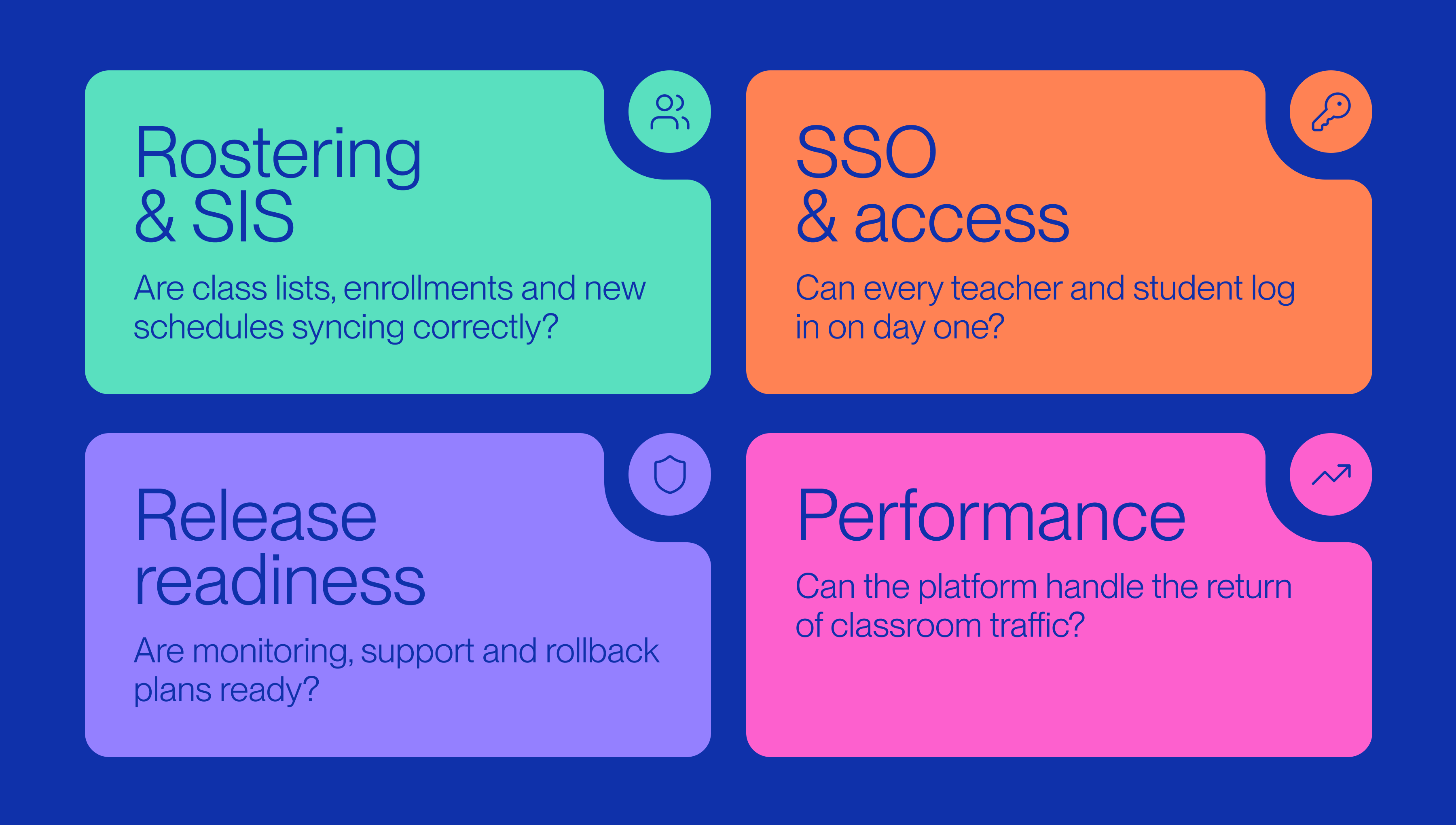
What has to be decided in October and November?
What goes in, and who else needs to say yes. Pick the one or two changes worth the window in October. Check anything that needs a school's IT or legal team in early November. Make sure your own engineering, QA and support teams can cover the release, too.
A quiet platform isn't much help if nobody is available to respond when something breaks. Holiday schedules matter on both sides.
Working backwards from January:
- October. Look at last year's usage and find your real window. Choose what goes in. Flag anything that touches class lists, logins or student data. Check which districts will be active during your planned release dates.
- Early November. Talk to your school partners about anything that needs them. Confirm approvals, dependencies and availability before everyone starts taking time off.
- Before Thanksgiving. Aim to be feature-complete and ready for final testing. If the work isn't there yet, reconsider the scope instead of trying to catch up during the holidays.
- Early December. Test with realistic school data, including a mid-year schedule change. Validate integrations, permissions and critical workflows. Document your rollback plan and confirm who owns the release.
- The quiet weeks. Ship when usage, operational dependencies and team coverage make sense. Consider a staged rollout, and leave enough time to monitor and fix issues before schools return.
- First weeks of January. Extra support, close monitoring, fast fixes. Pay particular attention to login issues, class rosters, synchronization errors and the workflows that become critical when teachers and students return.
A lot of release risk can be addressed in October and November, when there's still time to coordinate, test and make changes to the plan.
By December, the window is already spoken for.
The window rewards teams that plan it
Winter break works best as a planned release, with a date, an owner and a short list.
Teams that wait for things to get quiet usually find out too late how short the quiet really was.
And they find out on December 22.
There's no universal safe window for an EdTech release. It depends on your users, your integrations and how ready your team is to ship.
At Neocoast, we've spent the last decade building and scaling EdTech products, including the integrations and infrastructure that schools depend on every day. We know that planning around the academic calendar is part of building software that works in real classrooms.
Planning a major release before January? Let's talk about what makes sense to ship, and what doesn't.
Sources
- NYC Public Schools, 2026-27 School Year Calendar: Winter recess from December 24, 2026, to January 1, 2027.
- Los Angeles Unified, 2026-27 Instructional Calendar: Winter recess from December 21, 2026, to January 8, 2027. Illustrates how deployment windows vary across districts.
- UW-Madison DoIT, Change Freezes: additional scrutiny of system changes during critical academic periods, including fall finals and the first two weeks of spring semester. Exceptions are possible.
- Arizona State, Technology Change Freeze: production change restrictions around the beginning and end of semesters, with specific exceptions and approval requirements.
- Arizona State, 2026-27 Technology Change Freeze Calendar: fall freeze from December 7 to 14, 2026, and spring freeze from January 5 to 16, 2027.


